Handovers, damage, tracking, fines, parking, fuel and maintenance all write to the same vehicle record, so each one makes the others more useful. Below, every capability in detail: what it does, where it lives and what you get from it.
A vehicle changes hands, and whoever can prove its condition wins the argument later. EasyFleet turns that moment into a signed record: the vehicle’s condition, the driver’s licence and the parts to fix what you find, all on one file.
A 26-point inspection, closed with the driver’s signature.
One flow runs both ways: releasing a vehicle to a driver and taking it back. Before the first check the operator sees fuel, mileage, engine temperature and battery voltage as plain-language tiles. Then come 26 structured points (physical checks, briefings, recorded values and media) with a live completion percentage and a count of what is left.
What you get
Pass or fail on every check, with a typed reason whenever something fails
Fuel level and odometer recorded, with the range left before refuelling
Briefings confirmed as delivered: private mileage, liability for fines, GPS tracking
The vehicle contract read and signed on screen, in the driver’s own language
A drag-to-confirm start, so a handover is never opened by accident
Where it livesOperator appAdmin panel
05:58
Handover
Suzuki Swift · EASYFLEET
92%
24 of 26 checked
2 left · measurements
Physical checks
FuelPass
OilPass
CoolantPass
Wipers & fluidPass
Bodywork damageScratch, rear left doorFail
Clean inside & outPass
Briefings
Private mileage ruleDelivered
GPS trackingDelivered
Liability for finesDelivered
Start handover · J. de Vries
Drag to confirmStarted · 05:52
Fuel level
Swift · 37 L tank
E½F
In tank
23 L
Range
≈450 km
Level
62%
Odometer48,212 km
Driver signature
M. Bakker · 05:58
Contract read in Nederlands
Email recordDownload
02/ 16
AI damage detection
Dents, scratches and missing or broken parts, marked on the vehicle record.
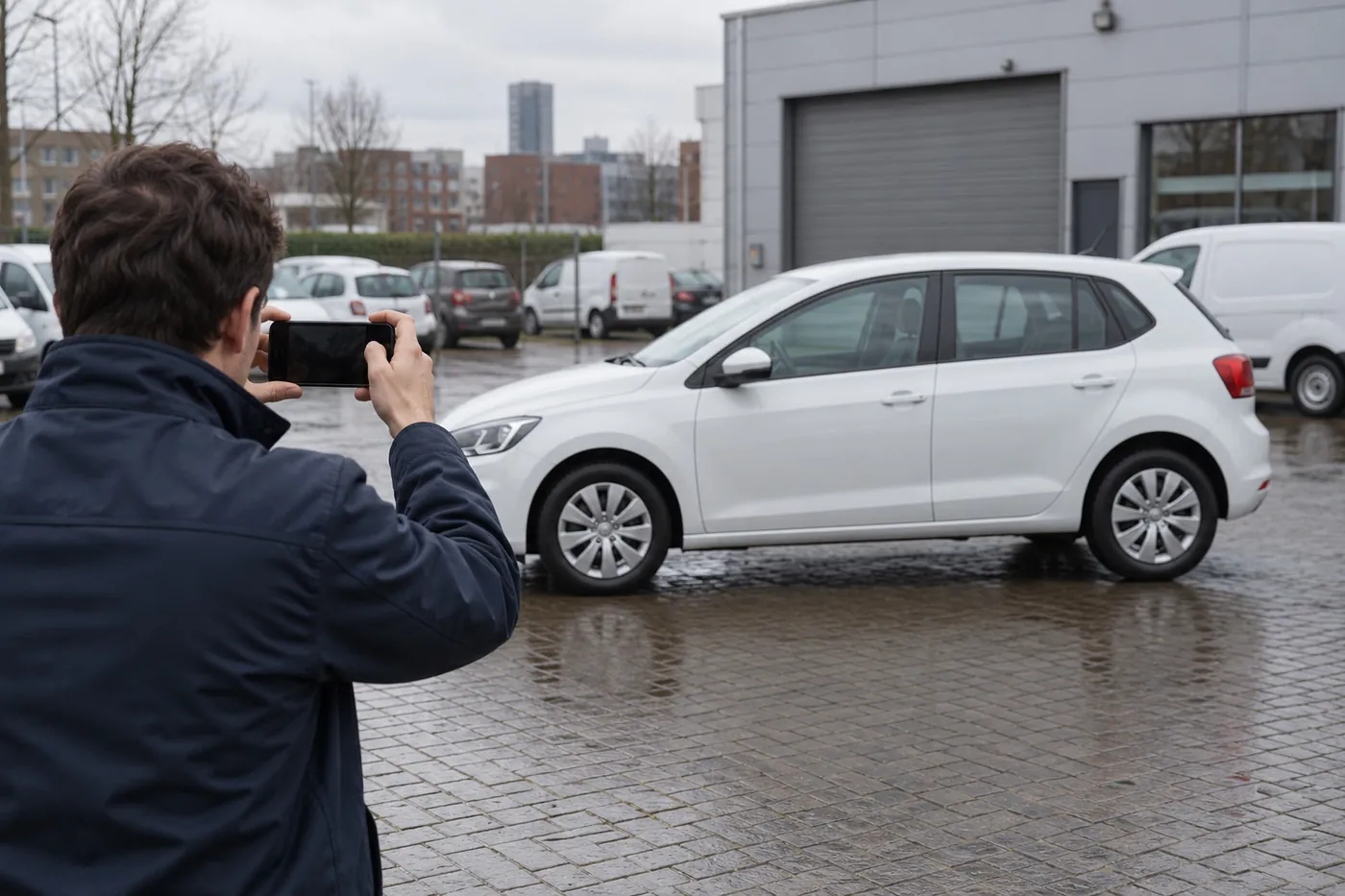
The app asks for each angle in a fixed order and lays a translucent wireframe of the car over the camera, so every shot lines up with the last one. Findings come back outlined on the vehicle, with the operator’s name and the time against them. Capture keeps working without signal; the analysis runs in the EU once the images upload.
What you get
Three kinds of damage found: dents, scratches, and missing or broken parts
Guided capture, in the same order every time, so scans are comparable
Findings attached to the handover, timestamped and named
Ordinary smartphones: no scanning rig, no gantry, nothing installed at the depot
What it does not coverGlass, tyres, the underside and the cabin. The operator records those by hand in the same checklist. The scan does not quietly skip them.
Where it livesOperator appAdmin panel
AIScratch
Left side · match the outlineNo signal · capture queuedUploaded · analysed in the EU
FrontLeft sideNext angle
Findings · analysed 06:03
J. de Vries
AIScratch · rear left door
On the record of EASYFLEET · attached to the handover
Dents
Scratches
Missing or broken parts
Recorded by hand
Glass · tyres · underside · cabin
03/ 16
Licence validation
No keys for a driver whose licence has run out.
Drivers are added by scanning the driving licence, front and back, against a template overlay, so the record is built from the document rather than typed. Every driver carries a licence-expiry indicator, and if the chosen driver’s licence has expired, the operator app raises a blocking alert before the handover can go on.
What you get
A licence scan with guided front and back capture
Expiry visible on every driver, before it becomes a compliance problem
A blocking alert at handover when a licence has expired
Driver details entered in three checked sections: personal, employment and driving history
Where it livesOperator appAdmin panel
05:52
Add driver
Field onboarding
PersonalEmploymentHistory
Driving licenceB
FrontBackScanned
Name
M. Bakker
Licence number
5X•• ••• 482
Category
B
Valid until
12 Mar 2031Valid
Continue to employment
Drivers · licence expiry
M. Bakker2031
A. Jansen2028
R. de WitJan 2027
S. VisserExpired
Handover blocked
S. Visser’s licence expired on 3 Feb 2026. Choose another driver, or renew the licence to continue.
Choose another driver
04/ 16
Parts & stock
An internal parts store, traced from the shelf to the job to the vehicle.
Every part carries a quantity, an average unit cost and running totals for deposits and withdrawals. Each item opens into its own movement ledger: who took it, for which maintenance job and onto which vehicle. When a job is fulfilled from stock, the parts are drawn down and priced at the store’s average cost, so in-house work is costed as accurately as a garage invoice.
What you get
A stock register with quantity and average unit cost
A ledger for every item: each deposit and withdrawal, with a name against it
Traceability from part to job to vehicle
Eleven part categories, from brakes and cooling to labour
Where it livesAdmin panel
Admin panel / Storage / Brake pads, front
Brake pads, front
Category · Brakes · Shelf B-14
In stock
6
Average cost
€ 38.60
Deposits
24
Withdrawals
18
Date
Movement
By
Job
Vehicle
14 Oct
−2
J. de Vries
M-2291
EASYFLEET
09 Oct
−2
A. Jansen
M-2270
VKT-41-R
02 Oct
+12
Deposit
INV-8812
Stock
28 Sep
−4
J. de Vries
M-2254
VLT-07-N
19 Sep
−2
R. de Wit
M-2239
VKT-41-R
Maintenance M-2291 · fulfilled from stock
Internal
Brake pads, front × 2€ 77.20at average cost
Shelf B-14Job M-2291EASYFLEET
On the road · 4 capabilities
Where every vehicle is, and how it is being driven.
A dot on a map is where most tracking stops. EasyFleet reads the engine, the cameras and the trip itself, and keeps a record of all of it that still holds up later, in a dispute or at the tax office.
Location, speed, fuel and engine health, not just a dot on a map.
The live fleet map clusters every connected vehicle and colours it by state: driving, health check, ignition off, no power or GPS lost. Open one to see what the engine computer (ECU) reports: fuel level, engine temperature, battery voltage, CO₂ per kilometre and total mileage, each with a plain health verdict, next to the dashboard warning lights.
What you get
A live fleet map with five vehicle states
Engine data with a plain-language health verdict on every reading
Actual fuel consumption charted against what the vehicle should use
Our device, the trackers you already have, or the vehicle’s own connection
Where it livesAdmin panelOperator app
Admin panel / Live fleet mapLive
Driving
Health check
Ignition off
No power
GPS lost
EASYFLEET · live
Speed
84 km/h
Moving · A12
Fuel
62%
OK
Engine
90 °C
Normal
Battery
14.1 V
Charging
CO₂
112 g/km
This trip
Mileage
48,212
km total
Warning lightsNone on
Fuel efficiency · L/100 km
Actual Expected
06/ 16
AI video telematics
Road and cabin cameras, with the clip on every alert.
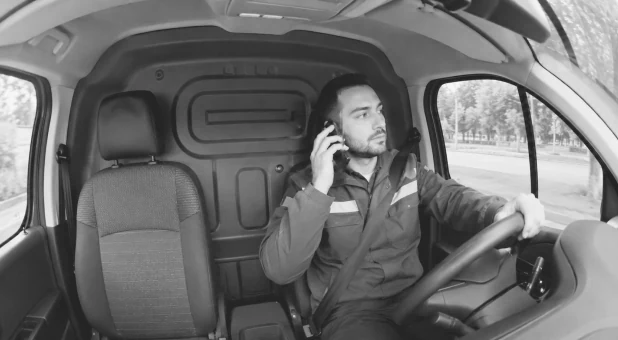
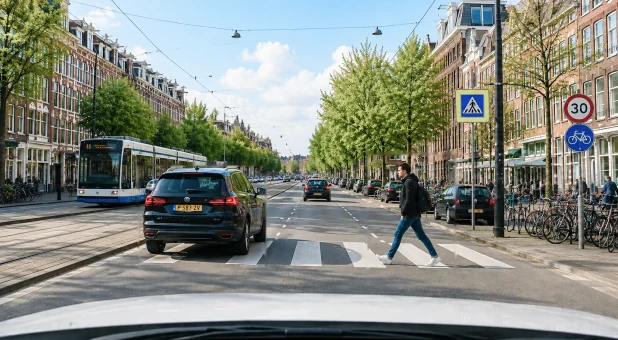
On vehicles with our camera, every event gets a grade from critical to informational. It arrives with video from the right cameras and the location, speed, heading and G-force at that moment. Live view starts only when someone asks for it, which keeps data costs down and respects the driver. Footage stays on the camera until you ask for a time window; after that, it replays instantly.
What you get
Road alerts (ADAS) and driver alerts (DMS), including a covered camera
Severity grades, with a review-and-acknowledge workflow so nothing is missed
Up to four camera channels, each with its own SD / HD switch
A two-level timeline: scan the day, then drop into the hour
A clip library with download, for insurers, police or HR
Where it livesAdmin panel
Admin panel / AI dash cam / EASYFLEET
Online · last contact 09:524G11 satellitesCH1CH2CH3CH4
CH2 · RoadSDHD14-10-2026 09:52:18 · 52.09N 5.12E · 28 km/h · 1,812 h · 48,212 kmAI1.1 s gap
Footage · 14 OctCached On device Preparing None
0006121824
Event · 09:52:18
High
AIFollowing distance
Location
Utrecht
Speed · heading
28 km/h · N
G-force
0.42 g
Clip
CH1 + CH2 · saved
Play clipAcknowledgeAcknowledged
Today · 7 events
Critical0
High1
Medium2
Low1
Informational3
07/ 16
Route optimisation
Shorter routes from live traffic and your own data.
Suggested routes are built from live traffic and the fleet’s own operational data, and the order of stops changes when conditions do. Fewer kilometres means less fuel burned and less CO₂, shown on the same vehicle record that already carries CO₂ per kilometre.
What you get
Stops put in a better order, with live traffic taken into account
Suggestions built from your own trips, not a generic road network alone
Planned and suggested distance side by side, before anyone drives
Less distance, and the CO₂ that goes with it, on the vehicle record
Where it livesAdmin panel
Admin panel / Planning / Route · 14 Oct
AISuggested order
Stop order
1Scheveningen
2Centrum
3Leidschendam
4Voorburg
5Rijswijk
Planned
74.2 km · 1 h 52
AISuggested
66.8 km · 1 h 38
08/ 16
Taxable mileage registration
Every trip, business or private, kept for seven years.
Each journey is logged with its distance, fuel used and average consumption, the fines that belong to it and the operators who released and received the vehicle. Trips are marked business or private, so the register gives the tax office what it asks for, and it is kept for seven years.
What you get
A trip log built from the tracker, not from memory
A business or private split on every trip
Distance, fuel used and average consumption per journey
Fines and handovers linked to the trip they happened on
Where it livesAdmin panelDriver app
Admin panel / Trips / EASYFLEET
October 2026All tripsExport
Date
Route
km
Fuel
L/100
Type
14 Oct 07:12
Rotterdam → Utrecht
61.2
3.4 L
5.6
Business
Released by J. de Vries · received by A. Jansen · CJIB fine € 109.00 linked
14 Oct 17:40
Utrecht → Rotterdam
62.0
3.5 L
5.6
Business
15 Oct 19:05
Rotterdam → Delft
14.8
0.9 L
6.1
ClassifyPrivate
16 Oct 08:02
Rotterdam → Dordrecht
27.6
1.6 L
5.8
Business
16 Oct 12:30
Dordrecht → Rotterdam
28.1
1.6 L
5.7
Business
October so far
Business
1,284 km
Private
96 km
Kept for seven years
Trips from 2026 stay on the register until 2033
Costs & claims · 4 capabilities
Every euro attributed to a vehicle, and to a driver.
Fleet costs rarely leak in one place. They leak in small, undocumented moments: a fine never charged back, a parking session left running, a refuel that does not add up, a repair accepted at the first price. Here each of those becomes a tracked process, with an owner and a state.
Fines read automatically and matched to whoever was driving.
A fine arrives, is read and is matched to the vehicle; the handover record shows who had it at that moment. The driver sees the fine in their app with the official documents attached, and can pay it through iDEAL, in numbered instalments for larger amounts. Charged back, paid and remaining balances close on the vehicle’s cost record. Nobody writes an email.
What you get
Driving and parking fines, bulk-uploaded or read in
Charged back, paid and remaining, per fine and per driver
The official documents in the driver’s hand, with an email notification from the record
Part-payments and instalments, paid from the driver app
Where it livesAdmin panelDriver app
Matched automatically
CJIB fine€ 109.00
EASYFLEETOn the notice
Handover 05:58Who had it
M. BakkerNotified
09:12
Fines
Driver app · M. Bakker
Total remaining
€ 72.67
Charged back € 109.00
AllUnpaidPartly paidPaid
Speeding · A12
UnpaidPartly paid
14 Oct 2026 · 08:26 · Gouda
Amount
€ 109.00
Remaining
€ 72.67
Official notice
Instalments
3 × € 36.33
1
€ 36.33
Due 14 OctPaid 14 Oct · iDEAL
Pay with iDEAL
2
€ 36.33
Due 14 Nov
Pay
3
€ 36.34
Due 14 Dec
Pay
Cost record · EASYFLEET
Fine
€ 109.00
Charged back
€ 109.00
Paid
€ 36.33
Remaining
€ 72.67
10/ 16
Parking & permits
Bays reserved, permits tracked, expiries flagged.
Drivers and operators find a zone on a live map with its operating hours and distance, set the time now or for later, and confirm the zone and plate before submitting. Active sessions show a live countdown, so an expiring session is visible before it turns into a fine. Hourly-parking statements import automatically, and municipal and residential permits are kept with zone, validity, holder and certificate.
What you get
Automated parking: once a vehicle is parked, the driver confirms the bay with one tap
A live countdown on every active session
A permit register, with expired permits one filter away
An approval policy per driver: manual, automatic, or automatic within their own zones
Where it livesDriver appOperator appAdmin panel
09:05
Park
Find a zone
Zone 1405 · Centrum
Mon–Sat 09:00–24:00 · 240 m
NowLater
2 huntil 11:05
30 min1 h2 h3 h
Check zone and plate
Active · EASYFLEET
Approved
01:59:42
Zone 1405 · Prinsegracht · ends 11:05
Parking approval · per driver
Manual
S. Visser
Automatic
A. JansenR. de Wit
Own zones
M. Bakker
Residential permit
Expires in 17 days
Statenkwartier · EASYFLEET
Valid until 31 Oct 2026 · certificate attached
11/ 16
Fuel anomaly detection
Each refuel checked against the vehicle’s own history.
Fuel-card statements import in bulk: station, product, litres, amounts before and after VAT and the odometer reading at the pump, which is what makes true consumption measurable. Driver receipts are set against the fuel card, and consumption is watched per vehicle. When the pattern breaks, you hear about it that week, not at the quarterly review.
What you get
Fuel-card import with the odometer reading taken at the pump
Driver receipts set against card transactions, in litres and in euros
Actual consumption measured against the vehicle’s rated figure
Refuels that break the vehicle’s own pattern, flagged the same week
Where it livesAdmin panelDriver app
Admin panel / Fuel / VKT-41-R
Consumption per refuel
L/100 km, measured against the odometer at the pump
Own range Rated 8.1
AI78% above its own average
Fuel-card import · 14 Oct
Statement line
Station
Utrecht · A27
Product
Diesel
Litres
64.2 L
Excl. VAT
€ 112.35
Incl. VAT
€ 135.94
Odometer at pump
48,190 km
Receipts vs fuel card
M. Bakker · October
Receipts46.0 L
Card64.4 L
18.4 L · € 32.20
12/ 16
Accident & liability
From the statement to the repair, in one file.
An incident is logged with its location pinned on a map, the vehicle, driver and operator, the time, a severity, the estimated repair cost and the third party’s details. Liability is assessed from the statement. The repair goes out to competing garages. Each quote shows the total price, how many days the repair will take and a per-part breakdown, and the case is tracked from reported to closed.
What you get
Location, severity and estimated cost from the first report
Third-party details and liability on the same file
Competing garage quotes, compared on price and on days off the road
A claims view with third parties and total cost across the fleet
Where it livesOperator appAdmin panel
Admin panel / Accidents / A-0142
Coolsingel, Rotterdam
Date · time
14 Oct 2026 · 08:41
Vehicle
EASYFLEET
Driver · operator
M. Bakker · J. de Vries
Severity
Medium
Estimated repair
€ 1,240
Third party
Details and insurer on file
Liability · from the statement
Third party
Reported
Repairs in progress
Closed
Garage quotes · front bumper, left
Awarded on price and days
Garage A
€ 1,180
5 days
Garage B Awarded
€ 1,240
2 days
Bumper cover€ 540
Paint€ 420
Labour · 4 h€ 280
Garage C
€ 1,395
3 days
Fleet insights · 4 capabilities
Decisions from the record, not from memory.
Once every handover, trip, fine and refuel lands on the same record, the questions get easier: what is due, who drives well, what it all costs. The answers arrive as reports, as progress bars on a driver’s phone, or as a plain-language reply from the assistant.
Service due by date and by real mileage, tracked side by side.
Every service opens into its line items (part, category, quantity, unit cost), and each line carries its own next-service trigger, by date or by kilometres. Drivers see the same thing as two separate bars, one for time and one for distance, so a component can sit comfortably inside its date window while already past its mileage limit. APK dates (the Dutch periodic vehicle inspection) sit on a calendar, with delivery to and collection from the inspection station recorded.
What you get
The next service by date and by mileage, per component
Work billed by a garage or fulfilled from internal stock, both costed
An APK calendar and register for the whole fleet
A maintenance-due report, ranked by how many days or kilometres overdue
Gold, silver and bronze tiers from how people drive.
Speed, braking and consumption build each driver’s tier, and drivers see their own standing: a medal badge, their position in the fleet ranking and a progress bar toward the next level. Good driving gets recognised, instead of drivers only ever hearing about problems.
What you get
Gold, silver and bronze tiers across the fleet
Ranking and progression in the driver’s own app
A driving-behaviour assessment recorded at handover
Camera-based driver monitoring on equipped vehicles
Where it livesDriver appAdmin panel
06:40
Wednesday 14 October
Good morning
Your tier
Gold
Rank 3 of 42 drivers
Level 71,240 / 1,500 XP
Today’s trips
Rotterdam → Utrecht
Utrecht → Rotterdam
Your vehicle
Suzuki Swift
EASYFLEET
Driver tiers · October
GoldM. Bakker
GoldA. Jansen
SilverR. de Wit
SilverL. Smit
BronzeS. Visser
M. Bakker · built from
Speed
Within limits
Braking
Smooth
Consumption
Below rated
Handover ride assessment · good
15/ 16
AI assistant
Ask about any vehicle and get the fleet report written.
A conversational assistant sits on every admin screen, and again on each vehicle’s dashboard. It answers operational questions in plain language (which vehicles are due for service, what the fleet cost this month, whose licence expires soon), takes file attachments, keeps a searchable history and offers recommendations on a specific vehicle.
What you get
The assistant on every screen, and on every vehicle
Answers in plain language, drawn from your own records
File attachments and a searchable history
Recommendations for one specific vehicle
Where it livesAdmin panel
Admin panel / Vehicles / EASYFLEET
AIAsk about this vehicle
AI
Assistant
History
Today
Show open damage on EASYFLEET
AIAssistant
One finding: a scratch on the rear left door, recorded at the 05:58 handover.
Which vehicles need service in the next 30 days?
AIAssistant
Three vehicles:
EASYFLEET oil & filter, 412 km over · APK on 4 Nov
VKT-41-R APK on 18 Nov
VLT-07-N tyres, due in 26 days
Fleet costs this monthLicences expiring soon
Ask about your fleet…
16/ 16
Reporting & BI
Costs, damage and consumption in one view.
The dashboard answers four questions at a glance: how much the fleet is moving, what it is costing, what condition it is in and where it is right now. Eight standing reports sit behind it, all exportable and filterable by date, and every vehicle carries its own cost overview with a trend chart and drill-down, so cost per vehicle is a fact rather than an estimate.
What you get
Eight standing reports, from maintenance due to the parts storage log
Cost per vehicle, with trends and drill-down
Handovers, mileage, fuel and service cost with period-on-period trends
The signed handover record, one click from the report
Where it livesAdmin panel
Admin panel / Dashboard
Handovers
312
+8% on last period
Last 7 days
41
+3 on the week before
Mileage · 30 days
48,900
km
Mileage · 7 days
11,240
km
Cost by category · 2026 · € k per month
Fuel Maintenance Parking & fines Other
J
F
M
A
M
J
J
A
S
O
Standing reports
8
Maintenance due
Fuel efficiency
Handover and receive
Anomaly detection
Trips
Accidents
Storage log
Fuel efficiency by station
Handover record · from the report
EASYFLEET
14 Oct · 05:58 · M. Bakker
24/26checks62%fuel48,212kmSigned
Email to driverDownload
How it fits together
One record, three apps.
The apps are not companions to the platform. They are where most of its data is created. The operator app captures it, the admin panel decides on it, and the driver app acts on it.
Operator app
Creates the record
Handover and return
The 26-point inspection
Fuel and odometer readings
Guided vehicle photography and video
Signature and signed contract
Defect reports and garage quotes
Parking sessions
Admin panel
Decides, costs and reports on it
Vehicle and driver registers
Cost per vehicle, with trends
Garage quote selection
Maintenance and parts
Fines and charge-back
Parking permits and APK
Eight standing reports
Video telematics
Driver app
Acts on it
Assignments and calendar
A training academy
Maintenance warnings
Parking requests
Fines with the evidence attached
Payment in instalments
A worked example
The handoverAn operator hands EASYFLEET to M. Bakker. Odometer, fuel and each angle are recorded, and the contract is signed in the driver’s own language.
A fine arrivesA speeding fine from CJIB comes in and is read automatically.
MatchedIt is matched to the vehicle, and the handover record shows who was driving.
In the driver’s handThe fine appears in the driver app with the official notice attached, paid in instalments.
Nobody wrote an emailThe charge-back closes on the vehicle’s cost record.
Hardware, your choiceOur device, your own trackers, the vehicle’s own connection, or no hardware at all
In the app storesOperator and driver apps on the App Store and Google Play. Download the apps
MultilingualAdmin panel in four languages, driver app in five, contracts in many more
Data in the EUProcessed and stored in the EU, with a DPA for an account of any size
No lock-inCancel monthly; a written quote within two working days
See it on your own fleet
Book a demo and we will run your numbers
Thirty minutes, your vehicles, your actual costs. You get a written quote within two working days, with no obligation attached.