Two apps.One record.

The operator app runs handovers and inspections. The driver app puts the vehicle, trips, parking, fines and training in every driver’s hand. Both write to the same vehicle record your office sees.

The apps

Pick the app for your role

Both are free to download and work with a fleet that runs on EasyFleet. Everything done in them lands on the same vehicle record.

For operators and fleet staff

EasyFleet Operator
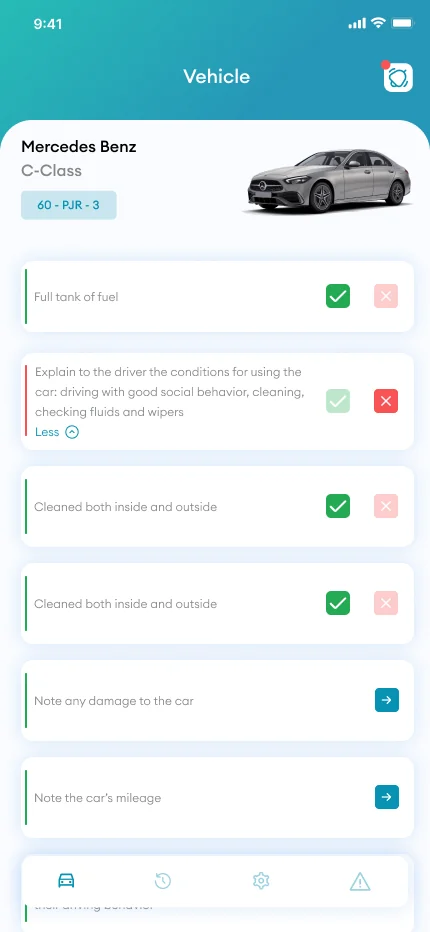
Operator app: the vehicle checklist with passed and failed items
Checklist
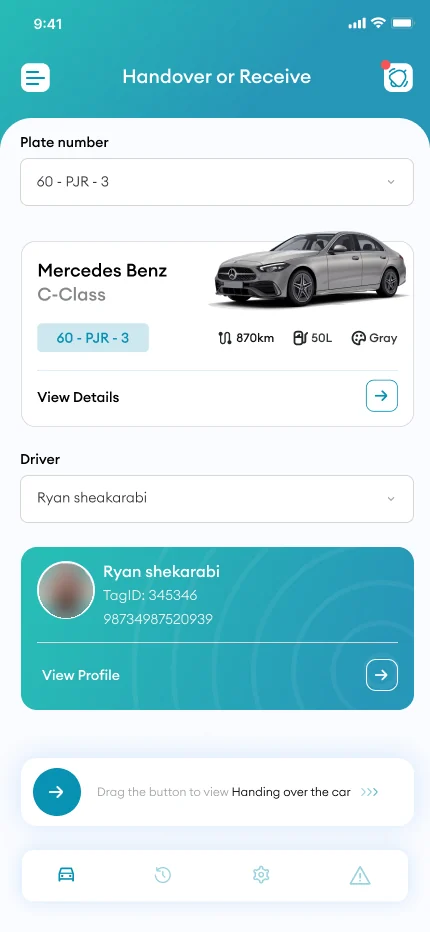
Operator app: handover or receive, with the vehicle and the driver picked
Handover
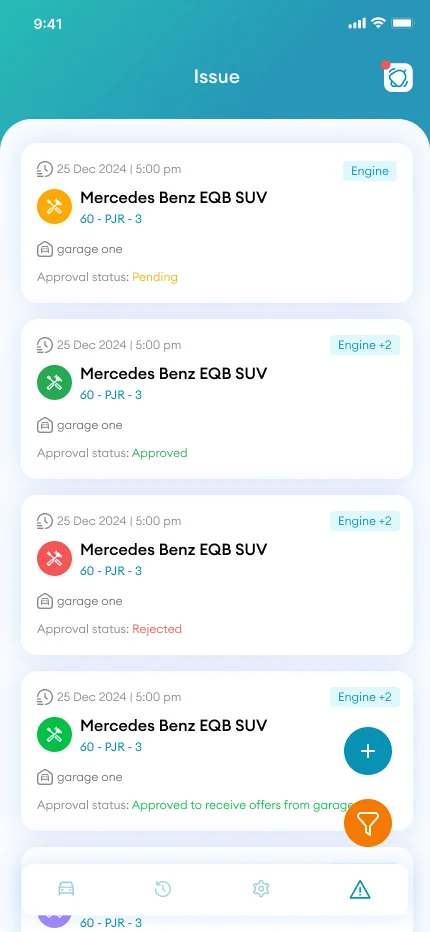
Operator app: the issue list with the approval status of each repair
Issues

Hand vehicles over and take them back with a full inspection, guided photos, fuel and odometer readings and a signed contract.

  • Handover and return, with the 26-point inspection
  • Guided photos for AI damage detection
  • Fuel and odometer readings
  • Driving licence scanned and checked
  • Signature and a signed contract
  • Defect reports and garage quotes
  • Works without signal, uploads once back online
On a computer?

Scan with your phone’s camera to open the App Store.
For everyone behind the wheel

EasyFleet Driver

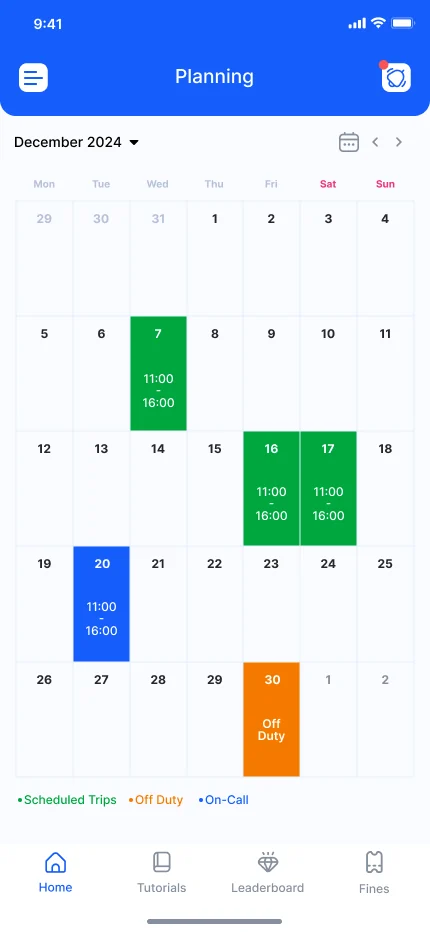
Driver app: the planning calendar with scheduled trips, on-call and off-duty days
Planning
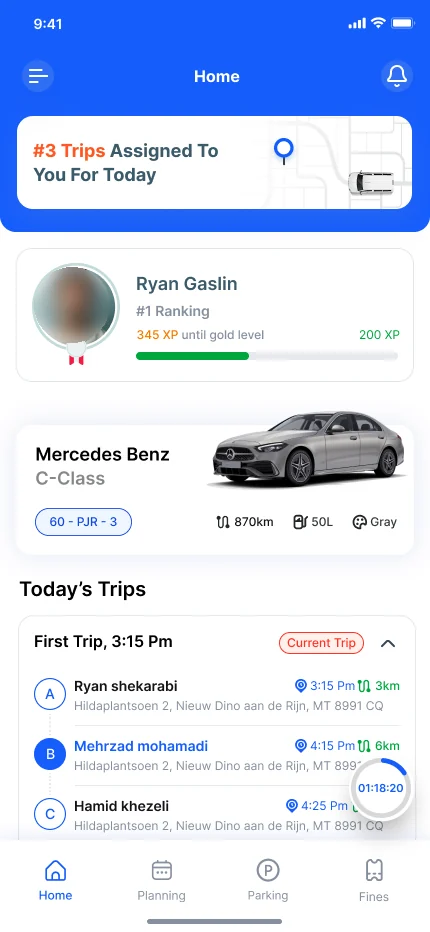
Driver app: the home screen with today’s trips, the assigned vehicle and the driver’s ranking
Home
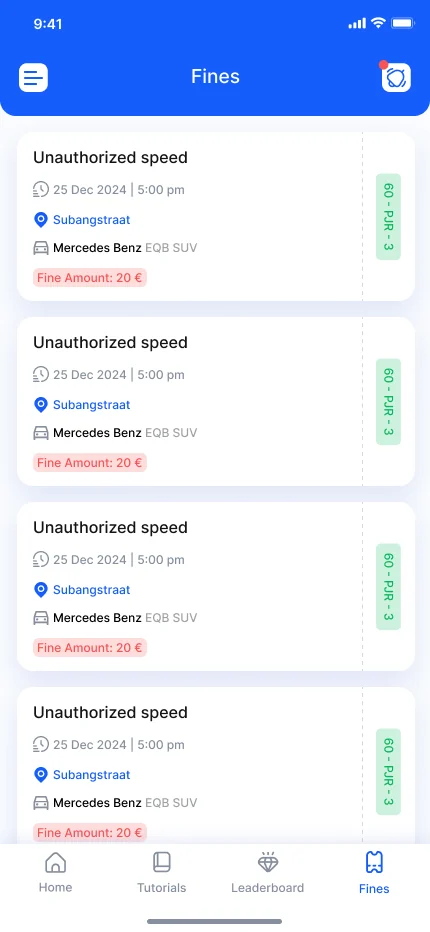
Driver app: the list of fines with date, place, vehicle and amount
Fines

Everything a driver needs for the working day in one place: the vehicle, trips, parking, fines, contracts and training.

  • Assignments and a calendar
  • Trips on a map, business or private
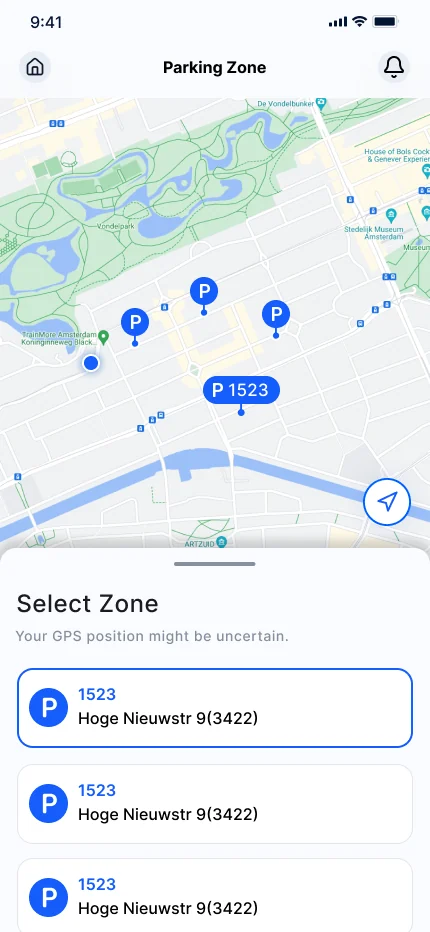
  • Parking confirmed with one tap
  • Fines with the evidence attached, paid in instalments
  • A training academy with certificates
  • Maintenance warnings for the vehicle
  • Contracts to read and sign

On a computer?

Scan with your phone’s camera to open the App Store.
How they work together

One day, two apps, one record

The two apps never do each other’s job. Each adds its part to the same vehicle record, and the office sees it as it happens.

  1. Operator app

    Inspection and handover

    J. de Vries checks the Swift and reads fuel and odometer. M. Bakker signs the contract on the same phone.

  2. Operator app

    A scratch, on the record

    AI damage detection finds a scratch on the rear left door and saves it with the photos.

  3. Driver app

    The trip starts

    M. Bakker drives off. The trip is logged and marked business, without a form.

  4. Driver app

    Parked in Amsterdam

    Once the Swift is parked, the phone asks whether to park there. One tap reserves the bay.

  5. Operator app

    Back at the depot

    The return handover records fuel, odometer and condition, and closes the day.

Getting started

Up and running in three steps

  1. 01

    Pick your app

    The operator app for handovers and inspections. The driver app for everyone behind the wheel.

  2. 02

    Download it

    Free on the App Store and Google Play, for iPhone and Android.

  3. 03

    Sign in and start

    From the first handover, everything you do lands on the vehicle’s record.

Not on EasyFleet yet?

The apps work with a fleet that runs on EasyFleet. See both on your own vehicles in a 30-minute demo, with a written quote in two working days.